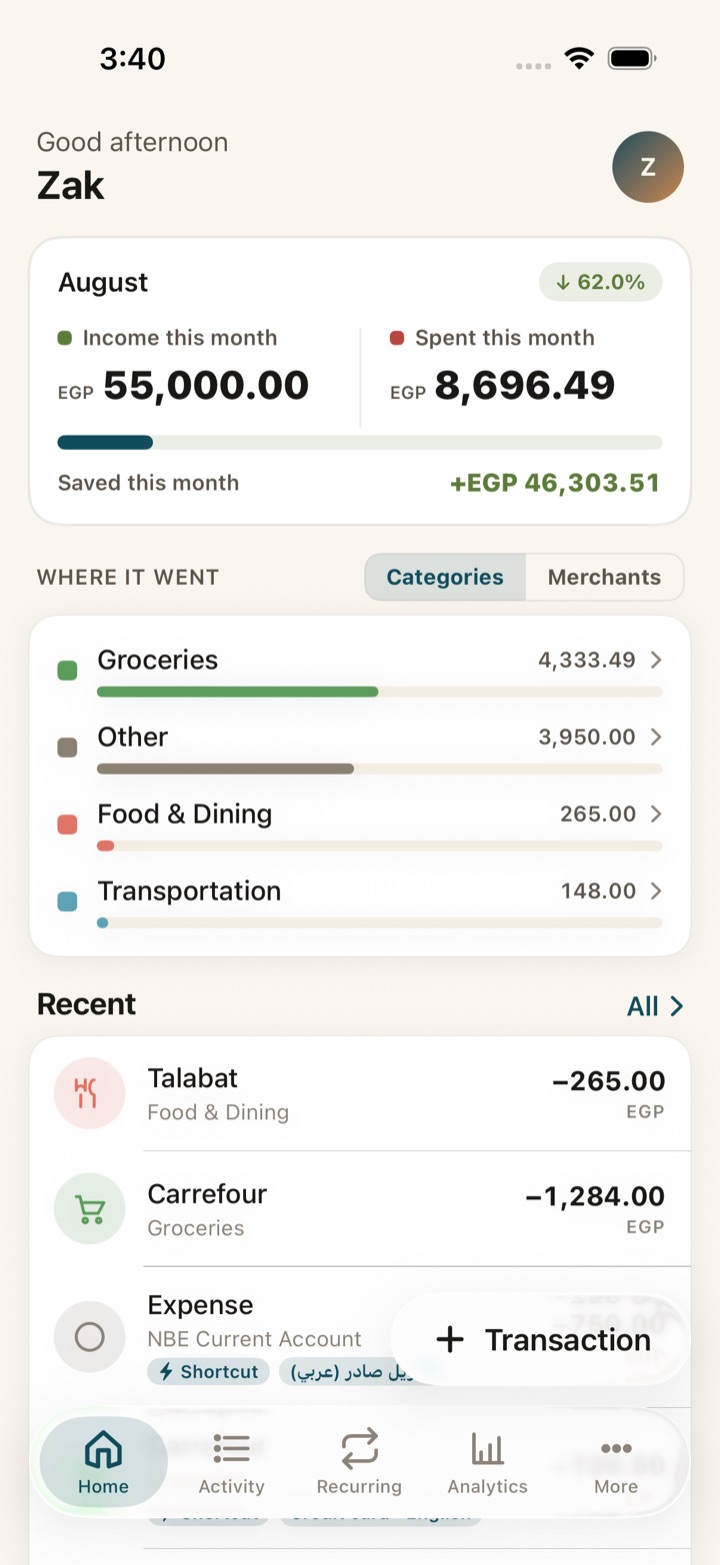
Masarefy turns your bank SMS, cash, and wallets into one clear picture. Built for Egypt, in Arabic and English — with budgets, savings goals, and gold tracking built in.
Built for EgyptEGP-firstArabic and EnglishPrivacy-first
What's inside
Everything your money does — in one app.
Five powerful tools that work together. No spreadsheets, no manual entry, no currency guesswork.
Auto-track from your bank SMS
Share a CIB, Mashreq, Credit Agricole, InstaPay, or Vodafone Cash message once. Masarefy parses the amount, merchant, and account on your device, and saves the transaction. We never read your inbox.
CIB · 2 min ago
EGP 245 charged on card 4542 at Talabat — Abou El Sid. Available balance EGP 78,175.
Budgets & goals
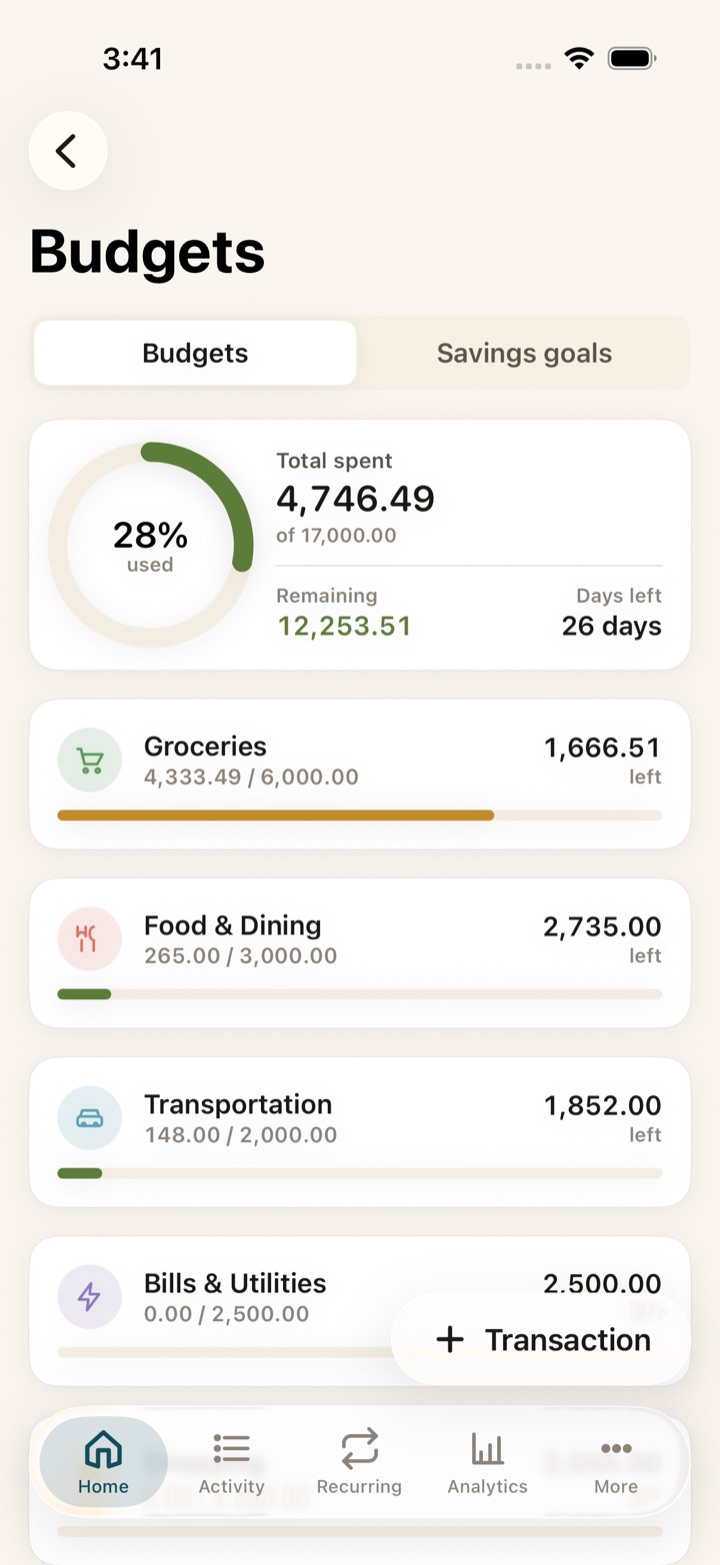
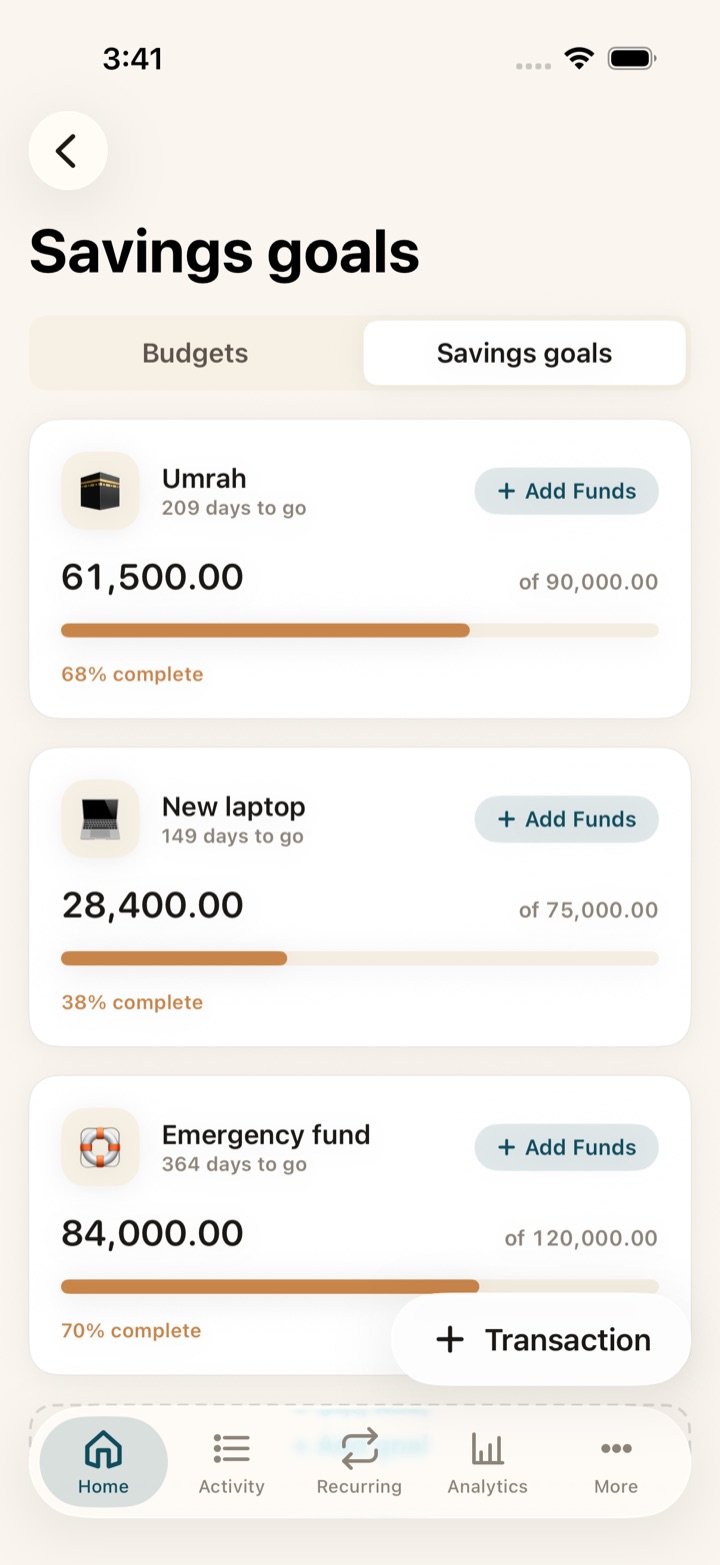
Set a number, see the gap. Daily nudges keep you on track without the guilt-trip.
Coming soon
Zakah, calculated correctly
Cash, gold, investments, receivables, debts — every input the standard fiqh requires, with a clear Hawl tracker. In development, not in the App Store build yet.
Gold portfolio, live
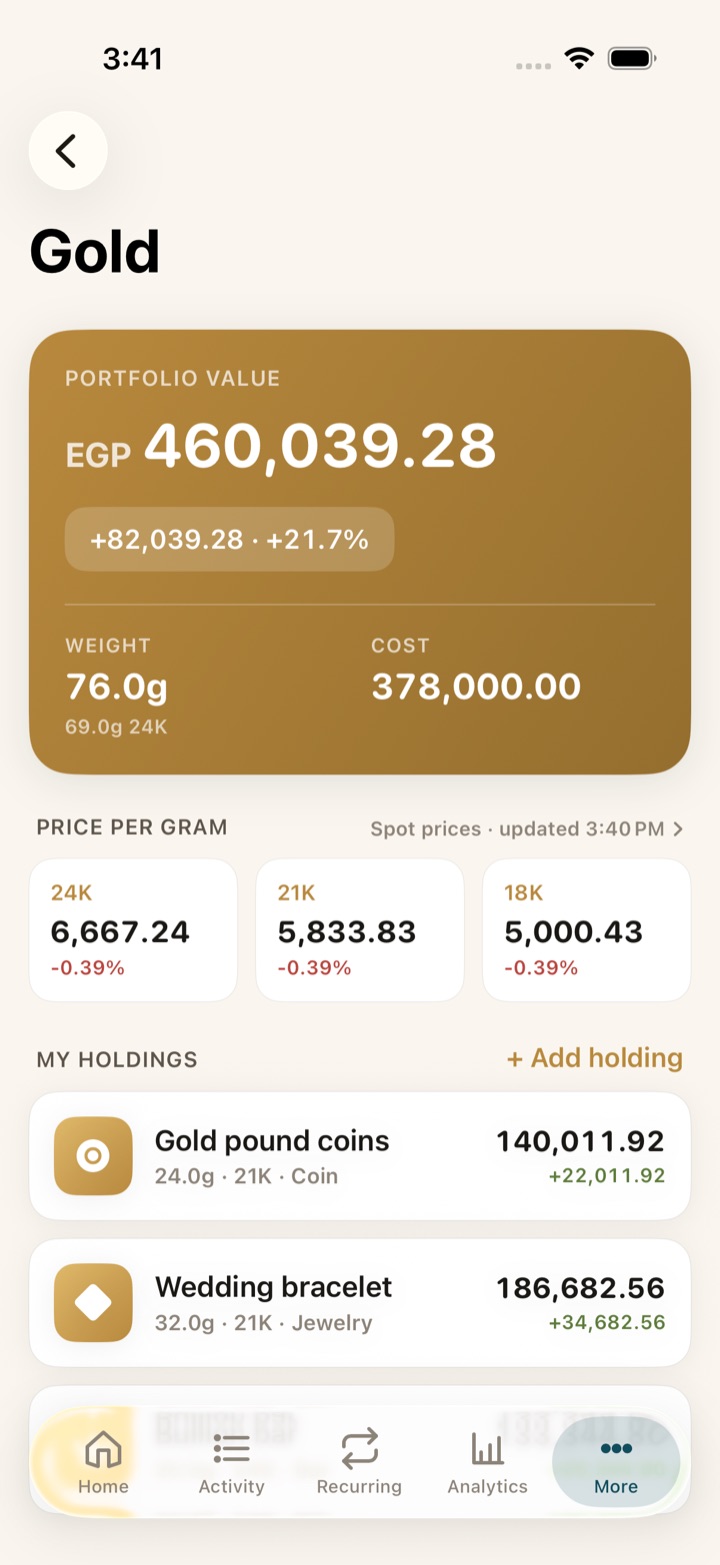
Track every gram across 18k, 21k, 24k. Live Cairo gram price means you always know where you stand.
Siri shortcuts
“Hey Siri, log a Masarefy expense.” Voice-log on the go, hands-free, in either language.
Home Screen widgets
Today's spend, budgets remaining, and a Quick-Add button — pinned to your Lock Screen and Home Screen.
How it works
Set it up once. Then it logs itself.
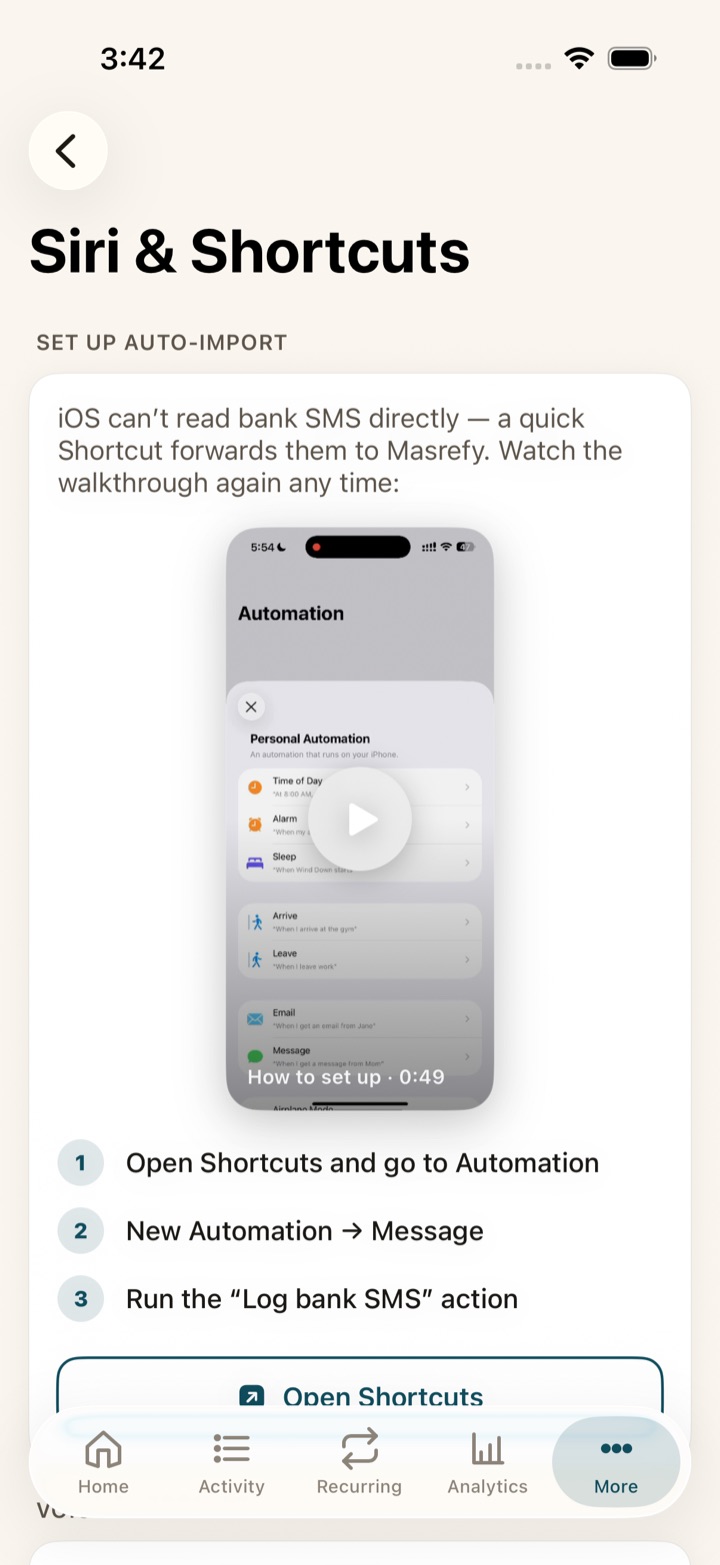
iOS does not let any app read your messages — so Masarefy doesn’t. Instead you build one Shortcuts automation, once, and from then on your bank’s texts turn into transactions on their own.
The setup screen, with a 49-second walkthrough built in.
1
Build the automation — once
In Shortcuts: Automation → New Automation → Message, then run Masarefy’s “Log bank SMS” action. About a minute. The app walks you through it with a video and a button straight into Shortcuts.
2
Your bank texts you
The automation hands that one message to Masarefy. Nothing else in your inbox is touched — iOS only passes along what your own automation matches.
3
Parsed on your phone, saved
Amount, merchant, account and date are pulled out on-device and the transaction lands in your budget. Review, edit, or undo it with one tap.
Prefer not to automate it? You can also share a message to Masarefy from the share sheet, or add anything by hand.
The actual app
Every screen, straight from the phone.
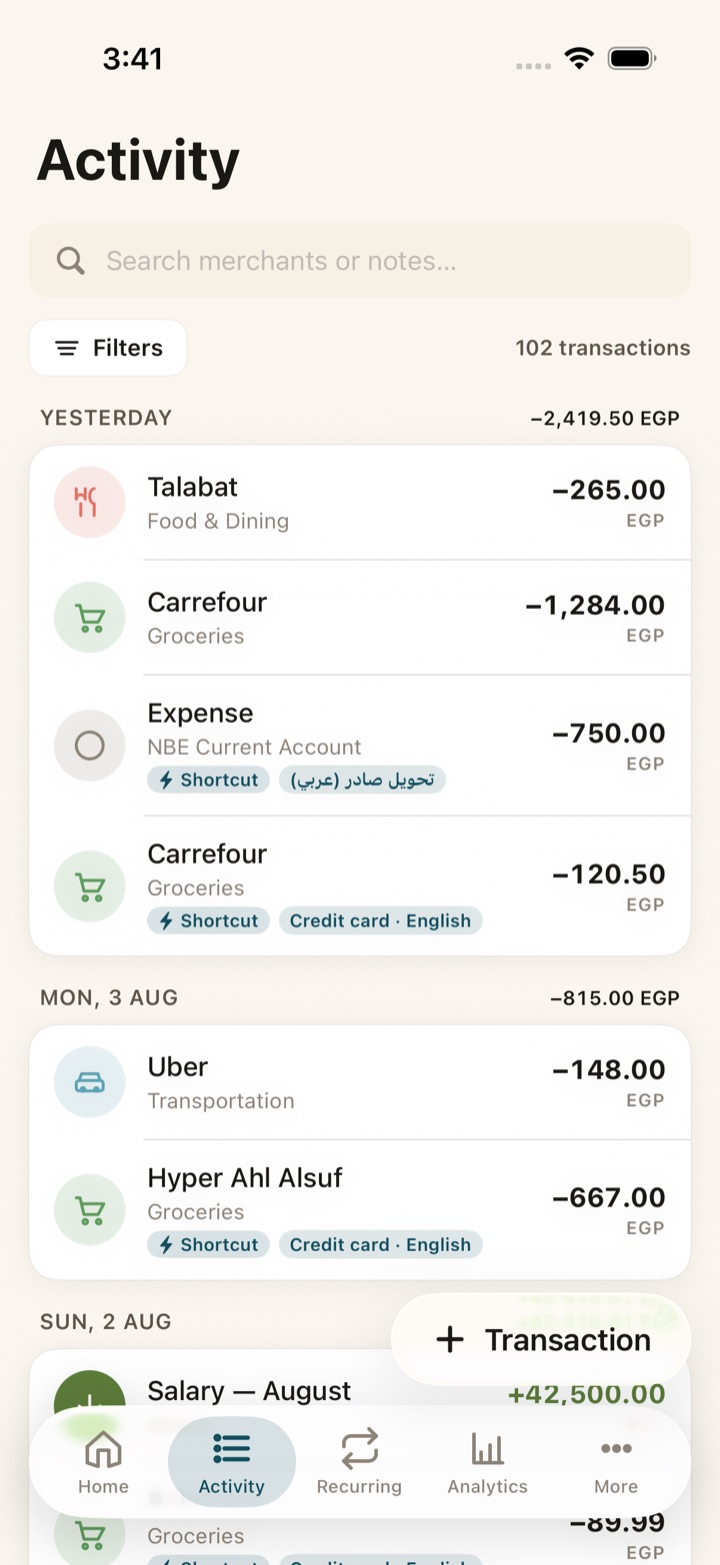
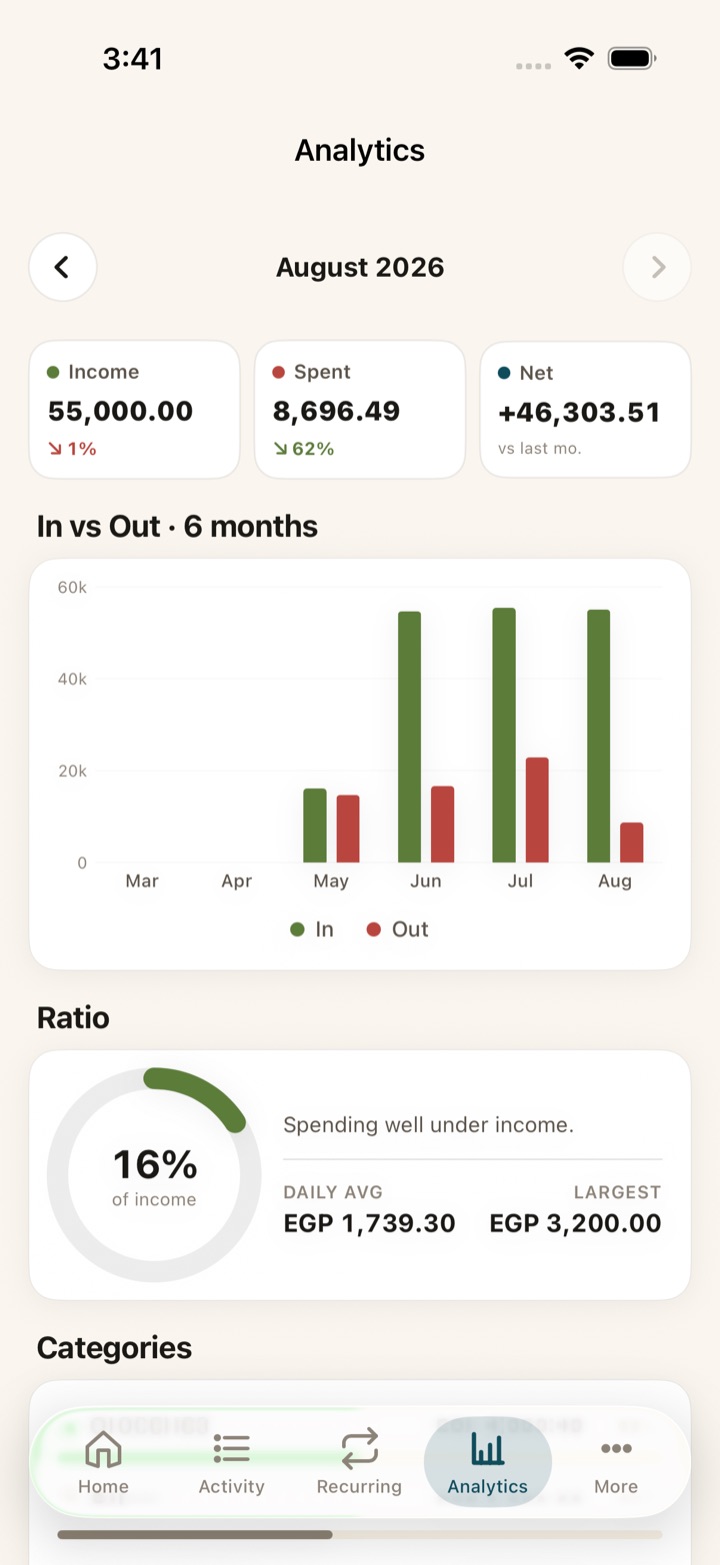
No mockups. These are real screenshots of Masarefy running on an iPhone.
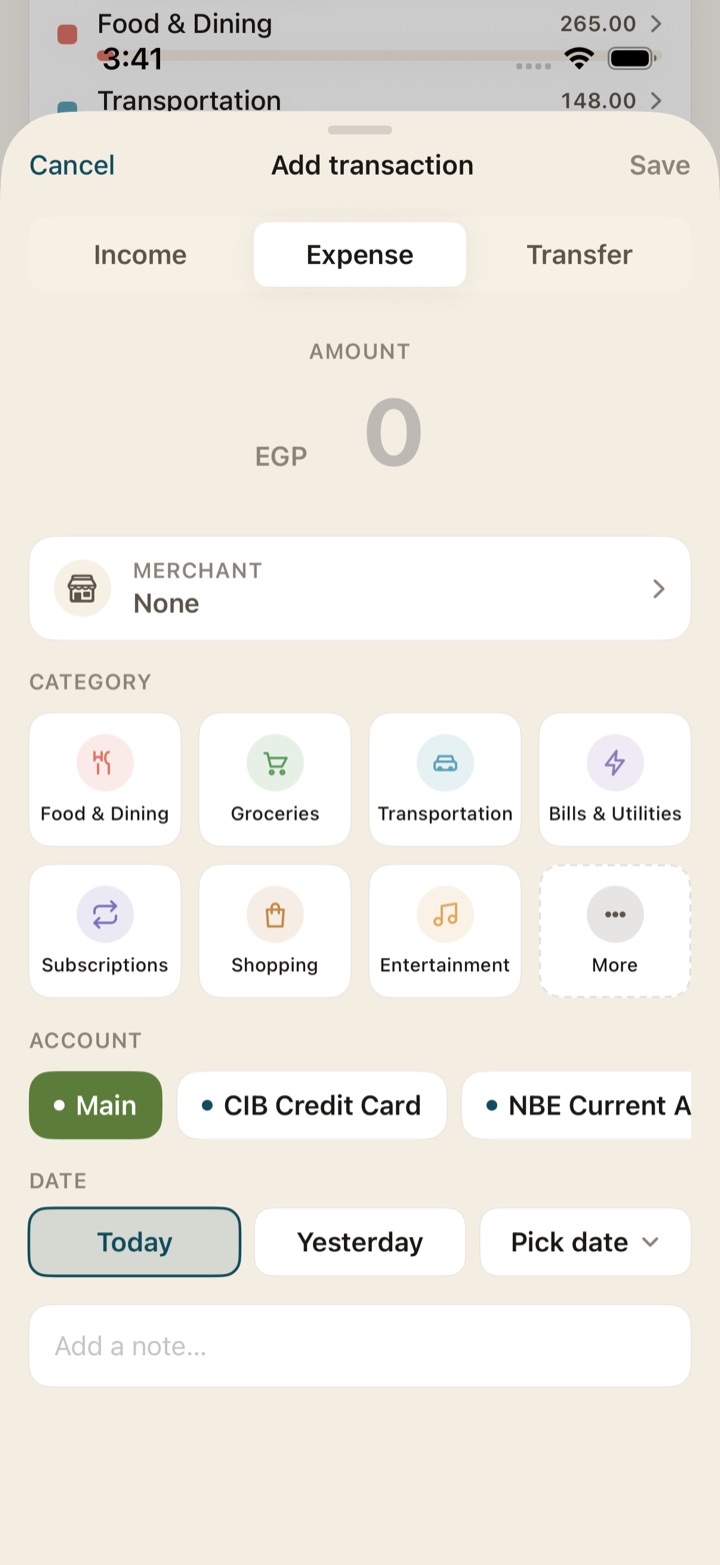
Activity — every row, grouped by dayAnalytics — six months, in vs outBudgets — caps that actually holdSavings goals — with visible progressGold — every gram, priced liveAdd — logged in two taps
Why Masarefy
Most apps treat Egypt as an afterthought.
We started here. Every decision — currency, banks, language, calendar — is built around the Egyptian wallet.
EGP-first, no guesswork
Every screen, chart, and import defaults to EGP. Multi-currency is opt-in.
Built for local banks & wallets
CIB, Mashreq, Credit Agricole, InstaPay, Vodafone Cash — recognised out of the box, in both languages.
Gold tracking built-in
Not a paid add-on. Every gram across 18k, 21k and 24k, priced at the live Cairo rate. A Zakah calculator is in development.
Arabic typography that breathes
Noto Kufi Arabic, proper RTL, Arabic numerals, Hijri calendar. Not just a translated screen.
Your data lives on your phone
No account required, ever. iCloud sync is optional and goes through your own private CloudKit database.
Designed, not configured
Opinionated defaults, an iOS-native feel, and one primary action per screen.
We never read your messages.
Masarefy needs no SMS permissions. You decide which message to share, and parsing happens on your device. Nothing leaves your phone unless you choose iCloud sync.
Questions
Things we hear a lot.
Is Masarefy free?
Yes. There is no subscription, no paid tier, and no ads. SMS parsing, budgets, savings goals, gold, widgets, Siri, iCloud sync, and both languages are all included.
Which banks and wallets are supported?
Masarefy ships with pre-tuned rules for CIB, Mashreq, Credit Agricole, InstaPay, and Vodafone Cash, in English and Arabic. You can write your own rules for any other sender, and the built-in rules update over the air — no app update needed.
Is it really bilingual, or just translated?
Fully bilingual. Right-to-left layout, Noto Kufi Arabic, Arabic numerals (٠–٩), Hijri calendar option, and Arabic-aware parsing rules. Switch language anytime — your data, formatting, and reports follow.
Where is my data stored?
On your iPhone, in Apple's SwiftData store. iCloud sync is opt-in and lives in your own private CloudKit database — your iCloud account, not ours. We do not run a server that holds your transactions.
iOS only? What about Android?
iPhone only for now. Siri, widgets, the Lock Screen and the share sheet are what make Masarefy quick to use, and those are worth getting right on one platform first.
Is there a Zakah calculator?
Not in the App Store build yet — it's in development. The plan is standard fiqh: 2.5% on cash, gold, investments and receivables above the Nisab threshold, with debts deducted and Hawl tracked per asset, and every input editable. It will be a calculator, not a fatwa.
Take control of your money — in your language.
Free to download. Free, full stop — no subscription, no ads. Built in Cairo.